
What APIs Offer Businesses
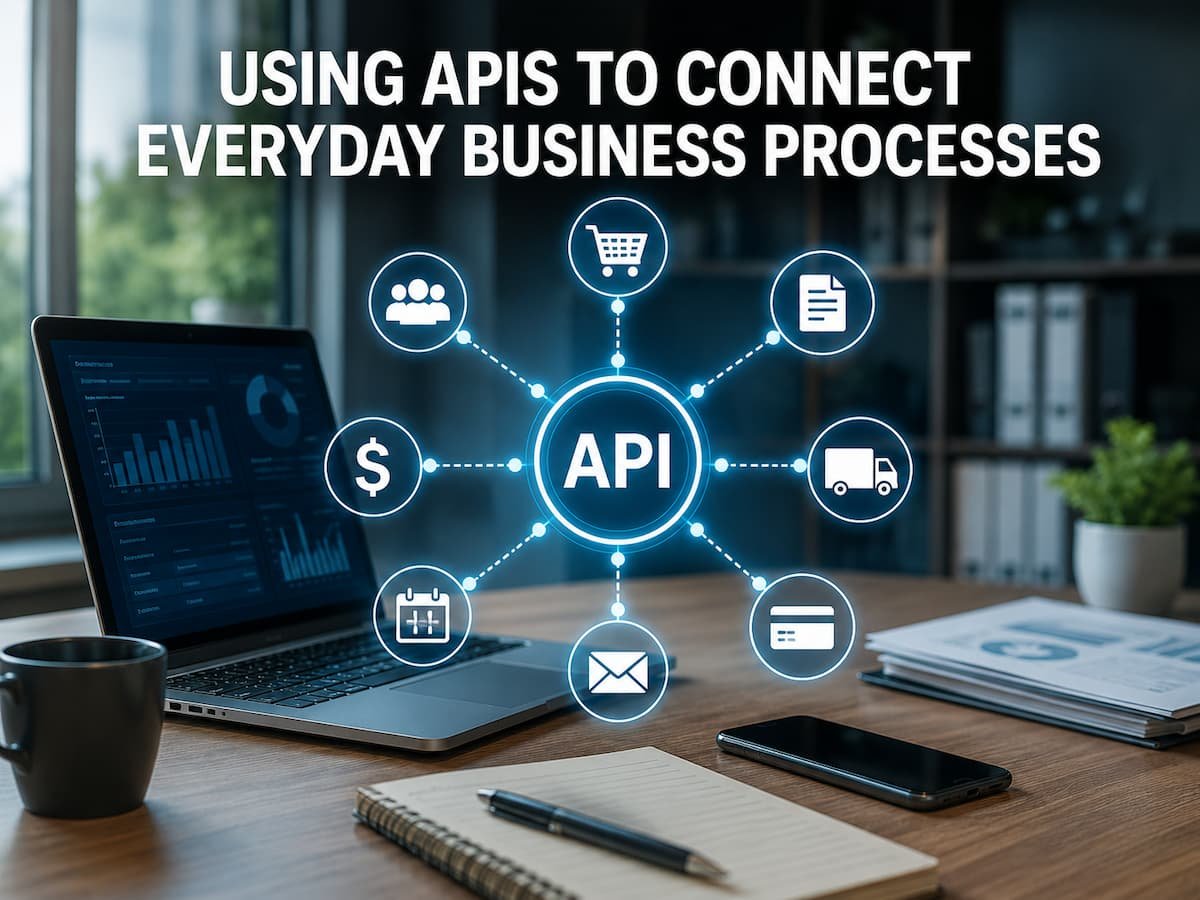
APIs are best understood as a controlled form of communication between applications. Applications generally do not need to know the inner workings of other applications; instead, they use an application’s interface to request information or perform actions. For example, an online store can transfer new orders to its accounting system. Through an API request, the store can provide the customer ID, order number, product, quantity, price, taxes, and payment details. The accounting system then processes the request and the response.
Importantly, the API does not inherently understand the business process; it merely facilitates structured communication. Users must decide for themselves what information to share and how to use it. The API solves the communication problem between applications. Sound integration design must address business issues related to communication. This distinction is crucial because even technically correct connections can fail. Data may arrive late, appear in the wrong fields, result in duplicates, or cause employees to perform unexpected actions.
Data Transfer Between Applications: A Simple Example
Imagine a small online store. Before integration, employees checked the website several times a day, copied new orders into the accounting application, and updated customer details in the CRM system. This approach involved three applications and manual steps. Every order increased the risk of errors. An API-based connection could reorganize the workflow, allowing the e-commerce application to automatically transfer the latest order information to another system. The CRM system could receive selected customer data, while the accounting system could receive financial data.
| Business Application | Information It May Send | Information It May Receive |
|---|---|---|
| Website or e-commerce platform | Orders, customers, product selections | Inventory or payment status |
| CRM | Customer records, sales activity | Order or support information |
| Accounting system | Invoices, payment status | Order and customer information |
| Customer support platform | Tickets and support activity | Customer and order details |
The goal is not necessarily to make every application exchange everything with each other. In fact, sending too much information can make an integration harder to manage. A better design sends each system the information it actually needs.
Map the Data Before Building the Connection
One of the most significant integration mistakes is starting with technical configuration before understanding the data. Before connecting two applications, write down what information needs to travel between them. Suppose an online store contains a customer called Maria Lopez. The store might have fields for first name, last name, email address, phone number, billing address, shipping address, and customer ID. The CRM might contain similar fields but use different names or formats. Before the integration is built, someone needs to decide how those fields correspond.
| Source Field | Destination Field | Transformation Needed? |
|---|---|---|
| customer_email | Email Address | No |
| first_name | First Name | No |
| order_total | Purchase Value | Possibly |
| created_at | Customer Created Date | Date format may differ. |
This process is often called field mapping. It sounds simple, but it can expose important differences between systems before those differences become production problems. Do not map a field merely because two fields have similar names. Please check what the field actually means. A field called “status” could refer to an order status, customer status, payment status, or sales stage.
Make Different Applications Understand the Same Data
Moving information is only useful when the receiving system can interpret it correctly. This scenario is where many integrations become more complicated than expected. One application might store a country as “Germany,” another might expect “DE,” and another might use an internal numeric code. One system might store dates in month-day-year format, while another uses a different format. A CRM could represent customer status as “Active,” while another application uses a value such as “1.” These differences do not necessarily prevent integration. They simply mean that the information may need to be transformed before it reaches its destination.
Watch for these common differences.
- Date and time formats
- Currency and decimal formats
- Country and language codes
- Required versus optional fields
- Different status values
- Different customer or product identifiers
- Different naming conventions
A useful rule is to make the transformation explicit. If a value needs to be changed, document why it is changed and what the receiving system expects. Hidden transformations are difficult to troubleshoot later.
Decide Which Direction Data Should Move
Another important decision is data direction. Should information move from Application A to Application B, from B to A, or in both directions? One-way integration is often easier to manage. For example, an e-commerce platform may send completed order information to an accounting system. The accounting system may not need to send the original order back. Two-way synchronization can be useful, but it introduces more questions. What happens when both systems change the same customer? Which update wins? How does the integration recognize whether a change is new or simply the same update arriving again?
| Data Flow | Typical Advantage | Main Challenge |
|---|---|---|
| One way | Simpler to control | The destination cannot automatically update the source. |
| Two-way | Systems can stay synchronized. | Conflicts require clear rules. |
| Selective two-way | Only important fields are synchronized. | Requires careful field ownership |
For beginners, one-way integration is often easier to reason about when the business process allows it. If two-way synchronization is necessary, establish ownership rules before implementation.
Choose When Information Should Be Transferred
Not every business process needs information to move instantly. This is an important point because real-time integration can add complexity that a business may not actually need. Consider a company that wants to send daily customer summaries from a CRM to an analytics platform. There may be little value in sending every change immediately. A scheduled transfer might be perfectly adequate. Now consider a payment confirmation that determines whether an order can proceed. Delaying that information for several hours could create a very different business problem.
The right question is not “Can this be real time?” but “How quickly does this information need to arrive for the business process to work correctly?” Define an acceptable delay for each important data flow before choosing the integration method. Timing requirements should also consider failure. If the receiving application becomes unavailable, please determine whether the data should wait and retry later or if an employee should be notified immediately.
Handle API Access and Authentication Carefully
Applications need a way to establish that an API request is allowed. Depending on the platform, the process may involve API keys, access tokens, OAuth-based authorization, service accounts, or another authentication method. The exact method should follow the application’s official documentation and security recommendations. Avoid treating credentials as ordinary configuration text that can be copied freely between employees or stored in public files. Access should also be limited to what the integration actually needs. If an integration only needs to read customer records, it should not automatically receive permission to delete them.
Keep access under control.
Review who owns the integration credentials, where they are stored, and what happens if an employee leaves the organization. Credentials should be replaceable without requiring the entire integration to be rebuilt. This matters because an integration can create a path to sensitive business information. Security organizations such as OWASP specifically identify authentication, authorization, excessive access, and unsafe consumption of external APIs as important API security concerns.
Design for Errors Instead of Assuming Success
A reliable integration assumes that something will eventually fail. An application might be temporarily unavailable. A request might contain invalid data. A token might expire. A service may reject a request because a required field is missing. HTTP APIs commonly communicate the result of a request through status codes. Successful requests generally use the 2xx range, while client-side problems use 4xx responses and server-side problems use 5xx responses. Understanding these broad categories makes API troubleshooting much easier.
| Example Status | General Meaning | Possible Business Response |
|---|---|---|
| 200 | Request succeeded. | Continue processing |
| 201 | A resource was created. | Record the new identifier. |
| 400 | The request is invalid. | Check the data being sent. |
| 401 | Authentication problem | Check credentials or token. |
| 404 | The requested resource was not found. | Check the identifier or endpoint. |
| 500 | Server-side problem | Investigate and potentially retry. |
The exact behavior should always follow the API’s documentation. The important business lesson is that an error should lead to a defined action. A failed request that simply disappears can leave employees believing that the data was successfully transferred.
Prevent Duplicate and Conflicting Records
Duplicate records are one of the most frustrating integration problems because they can spread quietly. A customer may appear once in the CRM but twice in the accounting system. An order may be submitted again because the initial response was not received, even though the receiving system actually processed it. To reduce this risk, integrations need a reliable way to identify records. Whenever possible, use stable identifiers rather than assuming that names alone are enough.
It is also important to consider repeated requests. If an application retries a request after a timeout, the receiving system needs a way to recognize whether the request is a new operation or a repeated attempt to perform the same operation. Businesses should document how duplicates are detected, what happens when a conflict occurs, and which system is considered authoritative for each important record. Never assume that a timeout means an operation failed. The receiving system may have completed the request even if the response never reached the sender.
Test the Integration With Realistic Scenarios
Testing should not stop when one application successfully receives a sample record. A useful test examines the complete business process from beginning to end. Start with normal records, then deliberately introduce conditions that could cause problems. Test missing information, duplicate records, unexpected characters, unusually large values, invalid identifiers, expired credentials, and temporary service failures.
Test the situations employees actually face.
If the integration handles orders, test a normal order, a cancelled order, a partially refunded order, and an order containing several products. If it handles customer records, test new customers, existing customers, changed email addresses, and incomplete profiles. Also test what happens when an employee manually changes information. If the integration later overwrites that change, the business needs to know why. A strong test does not only ask, “Did the data arrive?” It asks, “Did the right data arrive, in the right place, at the right time, with the right behavior when something went wrong?”
Monitor the Connection After It Goes Live
An API integration can work perfectly for several months and then begin failing because something changed. A software update, expired credential, modified field, changed API version, increased traffic level, or new validation rule can affect the connection. Monitoring helps identify these problems before they become larger business issues.
Useful things to monitor include failed requests, response times, authentication errors, unusual traffic, missing records, duplicate creation, and delayed transfers. For important integrations, alerts can help the responsible person respond before employees discover the problem themselves. It is also useful to compare technical monitoring with business results. An integration may show successful requests while sending incorrect information. Periodic business checks can therefore catch problems that technical logs alone might miss.
Protect Business Data Moving Through APIs
APIs often handle information that businesses would not want exposed publicly. Customer details, order information, financial records, account identifiers, and internal business data may all pass through integrations. Security should therefore be considered before the connection is launched rather than added afterward.
- Use the authentication method recommended by the API provider.
- Give integrations only the permissions they actually need.
- Protect API keys, tokens, and other credentials.
- Validate information received from external systems.
- Keep useful logs without unnecessarily storing sensitive information.
- Review access when systems or employees change.
- Remove unused integrations and credentials.
Security also includes the APIs your business consumes. Connecting to a third-party service means trusting another system with at least some part of the workflow. That dependency should be reviewed rather than treated as automatically safe.
Keep API Connections Reliable Over Time
An integration is not a project that can be ignored after it is set up. Applications evolve. A field may be renamed, an endpoint may be retired, authentication requirements may change, or a vendor may introduce a newer version of its API. This is why every important integration should have an owner. That person does not necessarily need to build the integration, but someone should be responsible for knowing that it exists, understanding its purpose, and responding when it stops working.
Keep a simple record of each integration, including the systems involved, data exchanged, authentication method, important endpoints or workflows, owner, error-handling process, and dependencies. It is also worth reviewing whether every existing integration is still necessary. Old connections create maintenance work and may introduce security or reliability risks without providing meaningful business value.
Practical API Integration Checklist
Before connecting two business applications, work through this checklist:
- Identify the business problem the connection should solve.
- List the applications involved.
- Document which information needs to move.
- Map source fields to destination fields.
- Identify required transformations.
- Decide which system owns each important piece of data.
- Choose one-way or two-way data movement deliberately.
- Define how quickly information needs to arrive.
- Review authentication and permissions.
- Plan for duplicate records.
- Define what happens when requests fail.
- Test normal and unusual scenarios.
- Monitor the integration after launch.
- Document the connection and assign an owner.
- Review the integration when connected systems change.
This checklist may look simple, but it addresses many of the problems that make business integrations difficult. The technical connection is only one part of the project. Data quality, ownership, timing, security, failure handling, and maintenance are equally important.
Conclusion
Using APIs to connect business applications can significantly reduce redundant data exchange, but successful integration involves more than just enabling communication between two systems. The challenge lies in determining what information needs to be sent, where it should be placed, how quickly it must arrive, and how to handle connectivity issues.
Focus first on business processes, not the technology itself. Before going live, map out the data, define responsibilities, establish field mappings, determine the right timing, and develop appropriate error-handling plans. Then, test real-world scenarios and monitor connectivity after launch. The goal is not to connect every application in the organization but to create interdependent information flows that solve actual operational problems. When APIs are planned according to this principle, they can provide a practical foundation for reducing manual data transfer while maintaining the consistency and manageability of business systems.
FAQs
1. What are APIs used for in business?
APIs enable a business application to request information from or send it to another application. Common examples include transferring customer data between a website and a CRM system, sending orders from an e-commerce platform to accounting software, or retrieving shipping information for a customer service system. APIs provide the means of communication, while the integration design determines what information the business transfers and how it uses that information.
2. Do APIs automatically synchronize all data between applications?
No. APIs do not automatically synchronize all data. Integrations must specify which records and fields are exchanged, when requests are made, and how the receiving application processes the information. Often, sending all data leads to unnecessary complexity. A better approach is to transfer only the information necessary for the business process.
3. What are the most significant challenges when connecting business applications?
One of the most significant challenges is ensuring that different systems agree on the meaning and ownership of data. Applications may use different field names, formats, identifiers, and status values. Even if the API connection is technically correct, incorrect mapping can lead to inaccurate records. Clear data ownership, field mapping, validation, and testing help prevent these issues.
4. Can API integration still function if a system is temporarily unavailable?
The answer depends on how the integration is designed. Some integrations can retry failed requests or temporarily hold information until the receiving system becomes available again. Others may require immediate intervention. It is crucial to define this behavior before implementation. Critical processes should have clear backup plans so that employees know what to do if they cannot access external applications.
5. Should small businesses use APIs?
Small businesses can benefit from APIs if employees frequently need to transfer information between applications. However, not every process requires a custom API integration. If built-in connectors already handle the task reliably, using that option might be simpler. APIs are particularly useful when standard connectivity is unavailable or when businesses want greater control over the data flow between systems.
6. How does API integration reduce manual tasks?
It can eliminate the step where employees repeatedly copy information. For example, an order placed on a website can be automatically transferred to another system without manual re-entry. APIs are most valuable for automating predictable data transfers, while employees remain responsible for decisions requiring judgment, oversight, or customer interaction.
References
- MDN Web Docs — HTTP overview and HTTP response status codes.
- Google Cloud — Cloud API Design Guide.
- Google Cloud—Google Cloud APIs documentation and API monitoring guidance.
- OWASP—API Security Top 10.