
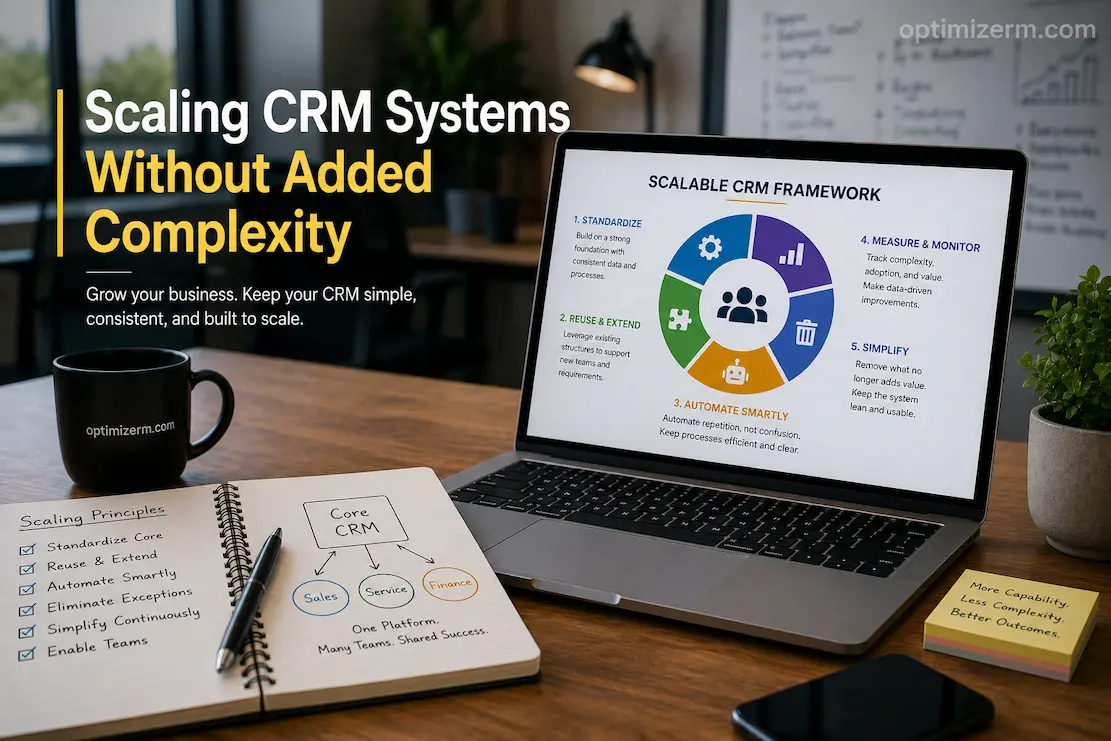
CRM management becomes increasingly complex when teams use expansion as an excuse to add everything. Creating more dashboards for various managers, more fields for new teams, more workflows for special cases, and more integrations when a department needs to retrieve data from other systems—these choices may seem harmless in isolation. Yet problems arise: managers receive conflicting versions of the same customer data, administrators cannot accurately predict the impact of configuration changes, and employees no longer understand which fields are important.
Therefore, simply adding functionality to the platform is not the key to successful CRM expansion. The goal is to improve CRM usability without increasing complexity for employees. Business expansion does not always require more complex systems, but it does demand more robust functionality. Standardization, reusable processes, appropriate automation, and targeted simplification form the cornerstones of a robust CRM environment.
This is particularly important when a company expands its departments, locations, products, or customer base. If every expansion generates a different CRM structure, the platform eventually becomes a collection of multiple fragmented systems within a single application. Even when employees use the same CRM system, they may employ entirely different definitions, processes, and data practices. Expansion must therefore allow for reasonable variations where they truly matter, while maintaining a shared foundation.
Growth Should Not Automatically Create Another CRM Process
When new teams join a company, the simplest approach is often to build the system based on their specific needs. For instance, a new product department might be assigned a different set of customer categories, a new sales team might get its own fields, and different locations might use distinct opportunity stages. This appears flexible, as each team receives a CRM experience tailored to its specific needs.
The problem lies in the accumulation of customizations. After six months, employees have trouble remembering which process applies to which customer, and management has difficulty evaluating team performance. Administrators require more advanced automation to keep all data synchronized, and reporting becomes increasingly dependent on handling exceptions.
Compare requirements against existing processes before developing new ones. If the underlying business activities are the same, focus on extending existing processes rather than building a parallel version. Regional teams might have different ownership requirements without necessitating entirely different opportunity lifecycles. New products may require additional information, even if the target customer segments remain unchanged.
This approach helps distinguish between duplication and differentiation. Not every change requires a different system design.
Build the Core Around Constant Elements
A scalable CRM system requires a solid foundation. As the organization evolves, concepts that remain relevant should form part of that foundation.
Concepts applicable across multiple departments include customer identification, account ownership, contact relationships, opportunity management, service history, and basic activity monitoring. Because changes to the core structure can impact processes, integrations, reporting, and historical data, they must be carefully designed.
For less transient needs, a more flexible management approach is recommended. For instance, short-term sales campaigns, project-specific reporting requirements, or temporary activity categories do not necessarily need to become part of the CRM system’s core architecture.
That is why experienced CRM teams distinguish between adaptable business layers and foundational data structures. While an organization’s external processes may evolve as it grows and learns, the core should remain largely unchanged.
Before making anything permanent, it is wise to ask yourself: “If the current team, product, manager, or campaign were to disappear, would this information still be relevant?” If the answer is unclear, a less stringent standard may be appropriate.
Standardize the Things Employees Must Understand Consistently
CRM content does not have to be the same for everyone. However, organizations do need a shared definition for certain topics.
Customer status is a prime example. If one department classifies customers with a purchase history from the past 12 months as “active,” while another considers anyone with a valid contract to be an active customer, consolidating reports from these teams becomes confusing and difficult to interpret.
Sales lead status, opportunity stage, customer segmentation, customer holdings, and revenue categories can all face similar issues. Centralized control is essential when these standards impact reporting or decision-making across the organization.
Standardization reduces cognitive load. Managers do not need to ask which definition was used when comparing data, and employees do not have to memorize multiple interpretations from different teams. Our goal is not to eliminate all local preferences, but to determine which definitions must be maintained to ensure the organization functions effectively as a whole.
Give Teams Flexibility at the Edges
A CRM system that requires all teams to follow the same processes can be just as problematic as one with no standards at all. After all, departmental tasks differ.
Marketing campaign data that the sales department doesn’t use might be crucial for the marketing department. Account managers may not need specific case fields, whereas customer service might. The finance department may require billing-related data that shouldn’t be publicly accessible.
The solution lies in creating a shared foundation, with the necessary flexibility to build upon it.
A CRM system can be viewed as a system with adaptable boundaries and a shared core. The core contains common customer definitions, identification structures, security guidelines, and key lifecycle concepts. Without altering the fundamental meaning of the core data, the boundaries allow departments to configure relevant views, auxiliary fields, task flows, and customizations.
This philosophy ensures the system is scalable without imposing a uniform working model on every team. Moreover, it prevents departments from secretly developing their own versions of the customer database.
Exceptions Often Lead to Complexity
Most CRM systems are not complex because someone intentionally designed them that way; it is the accumulation of exceptions that creates complexity.
A field is added because a manager needs a specific report. An automation exception is created because a customer requires a specific process. When salespeople cannot complete a task using the standard workflow, an alternative route is introduced. Subsequently, other teams make similar requests.
These exceptions eventually become the norm.
Before approving exceptions, consider whether the specific situation is truly exceptional or indicative of a more general standard. If multiple teams encounter the same issue, redesigning standard processes—rather than constantly creating exceptions—may be the solution.
This highlights a crucial management practice: treat recurring exceptions as evidence, not merely as requests.
A large number of exceptions often indicates that the underlying CRM system no longer reflects the organization’s operational processes. Simplifying the configuration, rather than adding new settings, may be the solution.
Automate Repetition, Not Confusion
Automation is one of the most effective ways to develop Customer Relationship Management (CRM), but it can also replicate inefficient processes.
If employees are unsure which customer stage to select, automating workflows does not resolve the underlying ambiguity; it may even lead to errors occurring more quickly. Similarly, if employees have to enter the same data into multiple redundant fields, automation merely masks the complexity rather than eliminating it.
Eliminate unnecessary steps before automating processes. Then, determine which choices can be standardized and which actions can be safely automated.
Assigning responsibilities, scheduling regular follow-up activities, updating dependency information, sending internal notifications, and enforcing simple validation criteria are all repetitive, predictable tasks that can often be effectively handled through good automation.
More complex decisions may require human judgment. Automating every possible variation makes workflows difficult to validate and harder to understand when issues arise.
Build for the Smallest Necessary User Experience
A scalable CRM system does not need to display every feature to every employee.
When accessing customer data, the platform becomes increasingly difficult to use if employees are confronted with dozens of fields, irrelevant panels, countless action buttons, and information from other departments. Employees may resort to using external notes, entering inconsistent information, or skipping certain fields.
Role-specific views can resolve some issues without altering the underlying data model.
Sales staff can view the data needed to process leads, while service staff can prioritize contact history and unresolved issues. Managers do not need the same editing tools as administrators to view performance data.
The CRM remains a single system, but the user experience is tailored to the user’s responsibilities.
This is a particularly efficient method of scaling, as adding users does not require an entirely new CRM architecture. With careful management of views and permissions, the same infrastructure can support multiple distinct user experiences.
Integrations Should Reduce Work, Not Create Another Layer
Companies often integrate systems during periods of expansion, as employees need access to information from multiple systems. While integrations can offer benefits, each one creates new dependencies.
Before adding new applications, understanding the specific problem that the integration solves is crucial. If employees only occasionally need small amounts of information, full two-way synchronization might be unnecessary. More direct reporting connections or standardized data transfer can often achieve the same objective at a lower maintenance cost.
When synchronization is necessary, clearly defining responsibility for each critical data element is crucial. Unless a clear conflict-resolution mechanism is in place, neither system should arbitrarily modify the same customer attribute.
This becomes increasingly important as companies grow, because integration issues rarely occur in isolation. A change in one process can trigger changes in another, leading to a cascade of unintended consequences.
Large, loosely managed networks of connections are generally less effective than a small number of easily understood integrations.
Remove Features as Deliberately as You Add Them
CRM teams rarely plan for cleanup activities; instead, they usually focus on implementation. Because no one wants to take the risk of deleting obsolete fields, processes, dashboards, automation features, and integrations, these outdated elements remain in production.
This creates configuration debt.
Technical debt works in a similar way to configuration debt. Due to the cumulative effect of each redundant component, future modifications become more difficult and maintenance costs rise.
Therefore, regular simplification is essential for a scalable CRM system. It is necessary to examine which fields are actually being used, which reports still influence decision-making, which workflows remain essential, and which connectors are still useful to the organization.
Of course, “unused” does not always mean “safe to delete.” Dependencies and historical reports must be checked first. However, elements should not be retained simply because they exist, if they serve no practical purpose.
In addition to methods for adding new items, CRM systems must also provide ways to remove items from the system.
Identifying Complexity Before It Becomes a Problem
Because complexity develops gradually, it can be difficult to identify. Monitoring structural metrics can provide a clearer picture of patterns.
For example, CRM administrators can focus on the number of custom fields in use, automation rules, connectors, authorization exceptions, redundant processes, and underutilized reports. These figures are not necessarily negative; larger organizations may require more configuration than smaller ones.
It is worth investigating whether complexity is growing faster than business value.
If a new customization supports thousands of users and significantly reduces manual tasks, it justifies itself. Conversely, creating a new field for a short-term need used by only three employees could incur long-term costs that outweigh the benefits.
Therefore, the simple principle of “less is more” is not the goal. The objective is to realize the value associated with complexity.
When a New Architecture Is Needed to Accommodate Growth
In some cases, extending the current CRM framework is not feasible. Companies may expand into new markets, acquire other businesses, implement radically different business strategies, or grow to the point where existing processes can no longer adequately meet new demands.
At this stage, management should stop adding exceptions and instead carefully evaluate the architecture.
Some viable strategies include: restructuring the existing CRM (Customer Relationship Management) system, separating specific business activities, adding more applications, or building a more formal enterprise architecture. The organization’s operating model, data requirements, security constraints, and long-term strategy will all influence the best choices.
It is crucial to understand the difference between structural strain and healthy evolution.
If employees require increasingly complex instructions to determine which CRM process is appropriate for a specific customer, the company may be approaching its limits.
A Practical Scaling Test
Before approving a major CRM expansion, run the proposed change through five questions:
Does it reuse existing structures where possible?
Will employees have to learn a completely new process?
Does it introduce another definition for information that already exists?
What dependencies will it create?
Can the organization remove it later if the business requirement disappears?
The final question is especially valuable. Temporary requirements should not automatically become permanent architecture.
If the change can be implemented using existing capabilities, has a clear owner, and does not create unnecessary duplication, it is more likely to scale cleanly.
Frequently Asked Questions
Does scaling a CRM always require more customization?
No. Growth often requires additional functionality, but that does not mean every new requirement needs custom development or a new process. Reusing existing structures and adapting configurable elements can often support growth with less complexity.
How do you know when a CRM has become too complex?
Warning signs include employees using different processes for the same task, frequent exceptions, conflicting reports, excessive custom fields, unclear automation dependencies, and difficulty explaining why particular configurations exist.
Should every department have its own CRM workflow?
Not necessarily. Departments should have workflows that reflect their responsibilities, but shared business concepts should remain consistent where they affect customer data and company-wide reporting.
Is automation always helpful when scaling?
No. Automation is valuable for repetitive and predictable work, but automating unclear or poorly designed processes can increase complexity. Simplify the process before automating it whenever possible.
How often should a CRM be simplified?
There is no universal schedule, but periodic reviews are important. Growing organizations should regularly examine unused configuration, duplicate processes, outdated automation, and integrations that no longer provide sufficient value.
What is the biggest CRM scaling mistake?
One of the biggest mistakes is treating every new business requirement as a reason to create something new. Repeatedly adding fields, workflows, reports, and exceptions eventually produces a system that becomes harder to understand than the processes it was intended to simplify.