
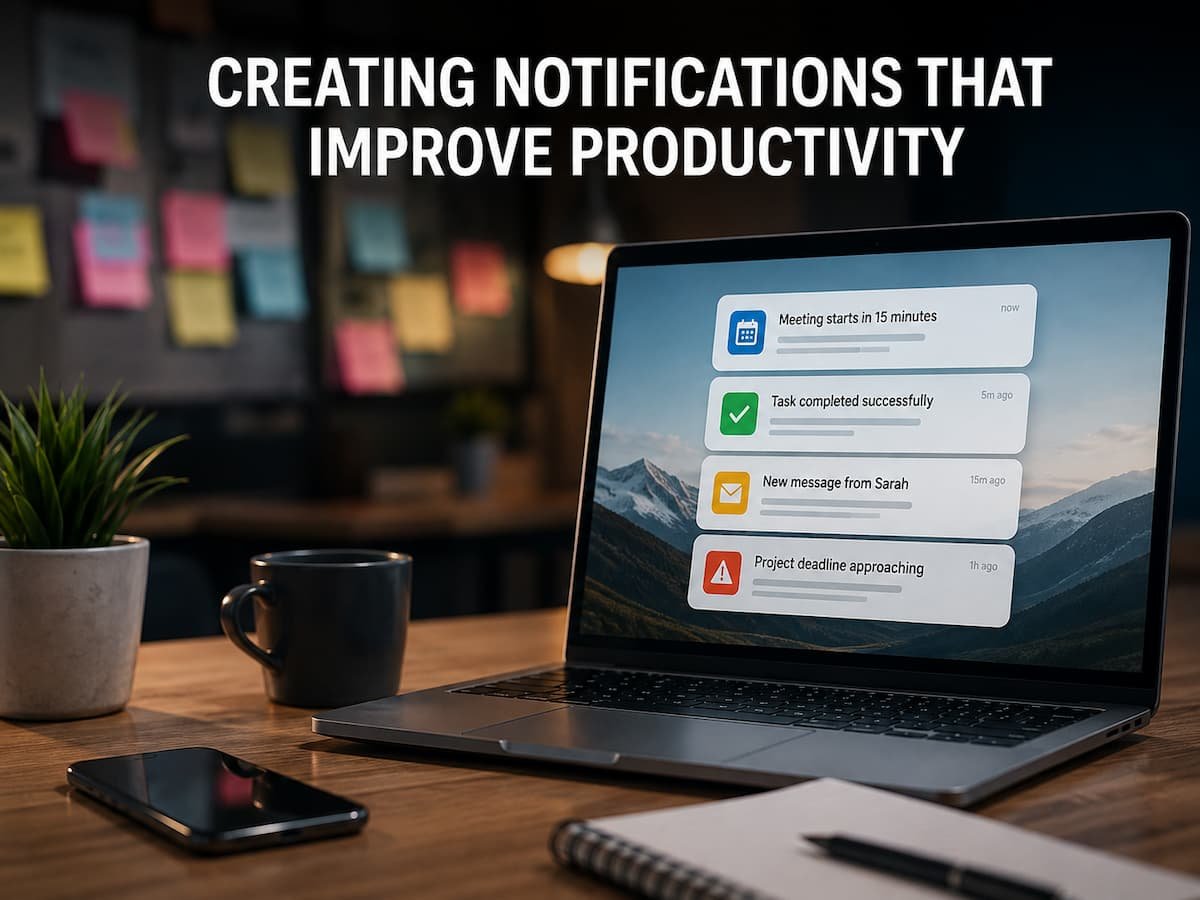
Within a single hour, employees might receive emails, chat messages, project updates, software alerts, calendar reminders, and automated system notifications. While some messages can wait, others demand an immediate response. When every message appears critical, setting priorities becomes difficult. Repeated interruptions to focused work can cause important notifications to drown in a sea of irrelevant information. For managers, simply ignoring notifications is not a viable solution; improving the notification system is a better approach. This involves selecting the right communication channels, scheduling messages effectively, eliminating duplicate alerts, and ensuring that each notification provides enough detail to support decision-making. This article discusses how to manage notifications in a way that maintains employee focus while keeping team members informed in a timely manner.
Workplace Notifications’ Real Productivity Issue
The issue with notifications goes far beyond information overload. A more significant problem is the competition for attention among different alerts. Notifications go off while employees are writing reports, reviewing proposals, analyzing financial data, or preparing for meetings. Employees might choose not to act on the notification immediately, but the new information has already drawn their attention away. This creates a challenging management dilemma: managers want employees to respond quickly to critical information while also having sufficient time to complete meaningful work. However, if each application interrupts an employee’s work separately, these goals can conflict.
For example, a customer service manager might receive notifications regarding ticket updates, customer feedback, internal comments from team members, ticket transfers, and approaching response deadlines. Sending individual notifications seems reasonable, but collectively, they result in dozens of interruptions a day. Simply eliminating notifications is therefore not the solution; some are useful because they help prevent delays. A good system should enable employees to quickly see what needs to be done, what can wait, and what requires immediate attention.
Decide Whether a Notification Deserves Attention
Before changing notification settings, managers should examine why each notification exists. Ask a simple question: what decision or action should happen because this alert was received? If the answer is clear, the notification may have a useful purpose. If the answer is vague, the alert deserves another look. Many workplace notifications exist because a software platform enables them by default, not because the business actually needs employees to see them immediately.
| Notification Type | Likely Value | Possible Treatment |
|---|---|---|
| Critical system failure | High | Immediate alert |
| Customer escalation | High | Prompt notification |
| Routine project update | Medium | Group or scheduled summary |
| Informational activity | Low | Dashboard or activity feed |
This exercise often reveals that the workplace has fewer genuinely urgent events than employees originally assumed. Once those events are separated from routine information, notification rules become much easier to manage.
Create Clear Notification Priorities
Employees need a simple way to distinguish an event that requires immediate attention from one that can wait. Without clear priorities, every alert competes at the same level. A practical system might use three levels: urgent, important, and informational. The exact labels are less important than the behavior associated with each level.
Urgent notifications should be reserved for events where waiting could cause meaningful harm, such as a major service outage, a serious customer escalation, or a deadline that cannot reasonably be missed. Important notifications may need attention during the working day but do not necessarily justify interrupting focused work. Informational events can usually be collected into a dashboard, digest, or activity feed. The mistake is creating too many priority levels. If employees have to understand six or seven categories before deciding whether to respond, the system becomes difficult to use.
A simple priority model
| Priority | Employee Expectation | Typical Delivery |
|---|---|---|
| Urgent | Act promptly | Direct alert |
| Important | Review during an appropriate work period | Chat, email, or task notification |
| Informational | Review when convenient | Digest, dashboard, or activity feed |
Once these rules are established, managers can configure software around the business process instead of allowing every application to define urgency independently.
Match Notifications to the Right Channel
Not every notification belongs in a chat application. Not every update needs an email. Some information is better placed on a dashboard where employees can review it when they are ready. The delivery channel changes how people perceive urgency. A message that appears as a desktop pop-up can interrupt someone immediately. An item placed in a task list can wait until the employee reaches a natural stopping point. Managers should therefore decide whether an event requires interruption, attention, or simply availability.
| Channel | Best Used For | Potential Problem |
|---|---|---|
| Direct alert | Time-sensitive events | Can disrupt concentration |
| Team chat | Collaboration and discussion | Can become noisy |
| Detailed or non-immediate information | Can create inbox overload | |
| Task system | Work requiring follow-up | Can be overlooked without review habits |
| Dashboard | Trends and status information | Requires users to check it |
The important distinction is between communication and interruption. A message can be delivered without demanding immediate attention.
Use Timing to Protect Focused Work
Timing is one of the most powerful tools managers have. If every low-priority event produces an instant notification, employees have little opportunity to work without interruption. Many routine updates can be grouped into periodic summaries. Instead of notifying a manager every time a project task changes, a system could provide a summary at a suitable interval. This provides the manager useful information without requiring constant attention.
Timing rules should also consider the type of work being performed. An employee reviewing financial records may need uninterrupted concentration, while someone assigned to live customer support may reasonably need frequent alerts. This is why a single notification policy for the entire organization can be ineffective. Different roles have different attention requirements. Ask whether information must interrupt an employee or simply needs to be available before a certain deadline. That small distinction can eliminate a surprising number of unnecessary interruptions.
Write Notifications That Explain What Matters
A notification that says “Something changed” forces the recipient to open another application to discover what happened. A useful notification provides enough context to help the employee understand the situation quickly. For example, instead of an alert saying “New task assigned,” a better message might identify the task, customer, deadline, and required action. The employee can then decide whether it deserves immediate attention. Good notification content should answer three practical questions: what happened, why does it matter, and what should the recipient do next?
Keep the message useful, not crowded
More information is not always better. A notification should provide enough context for a decision without becoming a full report. If the recipient needs detailed background, provide a clear path to the relevant record or application. Managers should also avoid vague wording. Terms such as “update,” “change,” or “activity” are often too general. A notification should describe the event in language employees already understand.
Remove Duplicate and Repeated Alerts
Duplicate notifications are particularly damaging because they make a system feel busier without providing additional information. A single customer event might trigger an application notification, an email, a chat message, and a task assignment. Employees may then receive four alerts for one event. This often happens when several systems are configured independently. Each system is technically doing what it was designed to do, but nobody has reviewed the complete communication flow.
Managers should trace important events from beginning to end. When a customer escalation occurs, for example, identify every notification generated by the event. If several alerts contain essentially the same information, decide which one should remain the primary notification. Another useful approach is to distinguish between systems that create work and systems that merely record activity. Not every system that knows about an event needs to notify an employee about it. Never measure notification quality by the number of alerts employees receive. A larger number can indicate poor filtering rather than better communication.
Design Notifications Around Employee Roles
A manager, salesperson, accountant, developer, and customer support representative may all work in the same organization, but they do not need the same alerts. A finance manager may need an alert when an unusual payment issue appears. A salesperson may care about a new qualified lead. A support manager may need to know about customer escalations. Sending all three employees the same collection of alerts creates unnecessary noise. Role-based notification design starts by identifying the decisions each employee is responsible for. Notifications should support those decisions.
| Role | Useful Alerts | Information Better Left Elsewhere |
|---|---|---|
| Sales manager | High-value opportunities, serious pipeline issues | Every minor lead update |
| Operations manager | Process failures, major delays | Every routine task completion |
| Finance manager | Exceptions, payment problems, approval needs | Routine transaction activity |
| Customer support lead | Escalations, response risks | Every internal ticket change |
This approach also gives employees more control. People should understand which alerts they are expected to act on and which information they can review later.
Use Automation Without Creating Alert Overload
Automation can improve notification systems, but it can also make the problem worse. A poorly designed automation rule can generate hundreds of messages faster than a person could ever review them. Before creating an automated notification, identify the event that triggers it and the action expected afterward. If there is no meaningful action, the alert may not need to exist.
Consider a project management system that sends a message whenever a task changes status. If a project has dozens of tasks and several team members update them throughout the day, the resulting stream can become overwhelming. A better rule might notify the manager only when a critical milestone changes or a task becomes overdue. Automation should therefore filter information rather than simply distribute it.
Use thresholds when they make sense.
Thresholds are useful when unusual patterns are important, even if individual events are not. Instead of sending an alert for every failed transaction, a system might notify an operations manager when failures exceed a defined level. This can help employees focus on problems that actually require investigation. The threshold should be based on the business process rather than an arbitrary number. It may also need review as business volume changes.
Separate Genuine Emergencies From Routine Work
One of the fastest ways to destroy trust in a notification system is to label routine problems as urgent. If employees repeatedly receive emergency alerts for situations that can safely wait, they learn that the alert system is not reliable. Urgency should therefore be connected to consequences. Ask what happens if nobody responds for ten minutes, one hour, or one business day. If the answer is that nothing significant will happen, an immediate interruption may be unwarranted.
This does not mean that employees should respond slowly. It means that urgency should be reserved for situations where timing genuinely changes the outcome. Managers should also define who owns an urgent alert. An emergency notification sent to ten people may create confusion if everyone assumes someone else will respond. A clear owner or escalation path is often more useful than simply increasing the number of recipients.
Review Notification Performance Regularly
Notification rules should not be considered permanent. Business processes change, software changes, teams grow, and responsibilities move between employees. A notification that was useful six months ago may now be unnecessary. Managers can review notification performance by asking employees which alerts they regularly ignore, which alerts they consider useful, and which messages arrive at inconvenient times. These conversations can reveal problems that technical dashboards cannot.
It is also useful to examine whether employees act on important alerts. If an important notification repeatedly goes unread, the problem may not be employee attention. The message might be poorly timed, sent through the wrong channel, or mixed with too many lower-value alerts. Track quality rather than volume. A successful notification system should help people notice important events without forcing them to constantly monitor their screens.
A Practical Plan for Managers
Improving notifications does not require changing every application at once. Managers can begin with the areas where interruptions are causing the greatest disruption. Start by selecting one team or workflow. Record the notifications employees currently receive and identify which ones regularly interrupt focused work. Then group them according to urgency and decide whether each message needs immediate delivery, delayed delivery, or no notification at all.
Next, examine duplicate alerts. Trace one important event through all connected systems and see how many messages it generates. Please address unnecessary duplication before making any other changes. Thereafter, test the revised notification rules with the employees who use them. Their feedback is important because managers may not experience the same interruptions as the people doing the day-to-day work. Finally, review the results after implementation. If employees are still experiencing excessive interruptions, please continue to refine the rules. Notification design is usually an ongoing management practice rather than a one-time configuration task.
Workplace Notification Checklist
Before introducing or changing a notification system, managers can use this checklist:
- Identify the business purpose of each notification.
- Define what action the recipient should take.
- Separate urgent events from routine information.
- Choose a delivery channel based on urgency.
- Use summaries for information that does not require immediate action.
- Remove duplicate alerts from connected applications.
- Customize notifications according to employee roles.
- Avoid sending every event to an entire team.
- Review whether notification timing interrupts focused work.
- Use thresholds for unusual patterns where appropriate.
- Give important alerts clear and useful wording.
- Define who owns urgent notifications.
- Ask employees which alerts they regularly ignore.
- Review notification rules when business processes change.
Conclusion
Effective workplace alerts ought to assist employees in making informed decisions, reacting to significant occurrences, and maintaining workflow. Individuals should not be compelled tospende the entire day responding to every alteration occurring within a corporate system. For managers, the most effective strategy is to treat notifications as integral to workflow architecture. Determine the significance of events, ascertain the necessary recipients, select the suitable communication medium, and align the timing with the genuine urgency of the circumstances. Routine data can frequently be categorized, yet truly significant occurrences may stay prominent and accessible.
Primarily, refrain from evaluating a notification system based on the volume of information it provides. Assess it based on employees’ ability to discern what is significant without frequently disrupting their focus. When alerts are intentional, focused, and appropriately scheduled, technology can enhance productivity instead of hindering it.
FAQs
1. What is the impact of alerts on productivity in the workplace?
Alerts can enhance efficiency when they provide pertinent information at the appropriate moment, while constant disruptions might hinder concentrated efforts. The effect is contingent upon the nature of the communication, its immediacy, its timing, and the frequency with which employees are informed. A system that regards every occurrence as critical can promote perpetual task shifting. Supervisors can mitigate this issue by sifting through regular data, consolidating minor updates, and saving urgent notifications for occurrences that truly necessitate swift intervention.
2. Should companies entirely disable workplace notifications?
Eliminating alerts entirely may result in the oversight of significant occurrences. The superior strategy involves enhancing the caliber of alerts provided to employees. Urgent incidents may require prompt intervention, while dashboards, task lists, email summaries, or periodic digests can typically communicate regular updates. The aim is not to achieve silence. It is establishing a notification framework that facilitates the identification of significant communications.
3. What factors contribute to the efficacy of a workplace notification?
An effective notification provides the recipient with sufficient details to comprehend the situation and any anticipated actions. It ought to possess a distinct objective and a suitable degree of immediacy. An ambiguous notification indicating that an item has altered may compel employees to access an additional program to comprehend its significance. Effective notification design minimizes superfluous inquiry.
4. What strategies may managers employ to mitigate notification overload?
Commence by examining the notifications received by employees and pinpointing communications that are frequently overlooked. Eliminate redundant notifications, consolidate regular updates into concise summaries, and minimize the distribution of alerts to individuals whose duties are unaffected. Managers ought to distinguish between urgent occurrences and informational tasks. Incremental enhancements in several applications might have significant impact, as notification saturation frequently arises from numerous systems functioning autonomously.
5. Should all employees be given identical notifications?
Typically not. Various employees are accountable for distinct decisions, therefore requiring diverse information. A financial manager might require payment deviations, whilst a sales manager could necessitate significant customer prospects. Distributing all notifications to everyone amplifies distractions and obscures critical information. Role-specific notification configurations enable organizations to provide employees with pertinent information related to their duties while minimizing unnecessary disruptions.
6. At what point should a notification be deemed urgent?
An alert is typically deemed urgent when postponing action may result in significant operational, financial, customer, security, or service issues. Urgency should not merely imply that an individual desires a prompt reply. Managers ought to delineate what necessitates prompt action and what may be deferred without consequence. If an excessive number of occurrences are deemed urgent, employees can ultimately cease to differentiate urgent notifications from regular communications.