
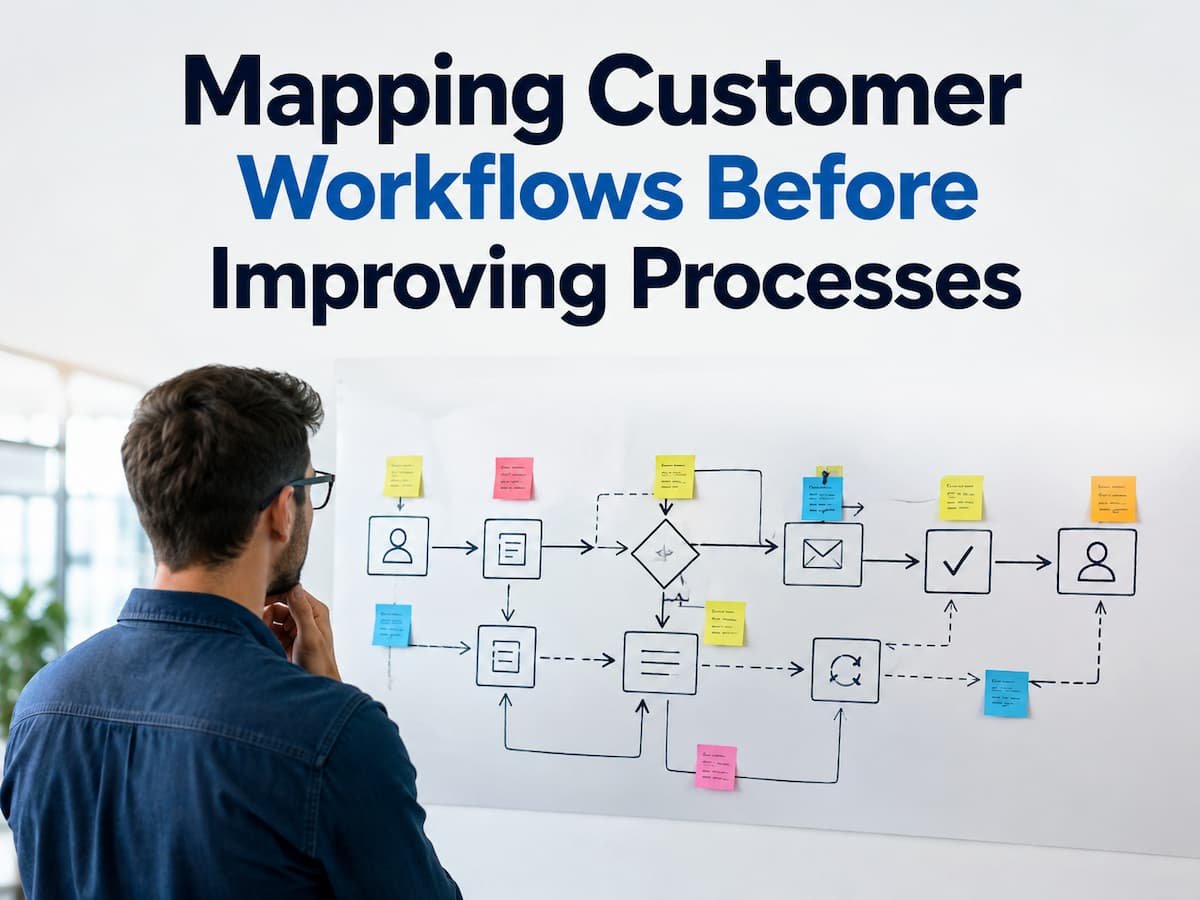
Many companies strive to improve operational efficiency by rapidly implementing new tools, introducing automation, or establishing new rules. While these measures can sometimes be effective, they often yield limited results due to a lack of insight into the actual customer journey within existing processes. Customer interactions with a company can encompass multiple stages: product identification, information requests, transaction processing, support, and relationship management. Each stage relies on internal processes involving people, systems, communication channels, and decision-making. When workflows are unclear, customers often experience delays, confusion, or service inconsistencies.
Analyzing customer workflows before implementing improvements helps companies gain a clearer picture of events from the customer’s perspective. This assists teams in identifying redundant processes, communication gaps, and opportunities to enhance seamless interactions. This article explains the concept and importance of customer workflow mapping, methods for creating successful workflow maps, and how companies can leverage these insights to improve operational efficiency.
Understanding the Importance of Customer Workflow Mapping
A customer workflow map is a visualization of customer interactions with a company and the company’s responses at each stage. It illustrates the path a customer takes to achieve their goals and reveals the internal processes required to facilitate that experience. The purpose of workflow mapping extends far beyond merely creating a diagram. Effective flowcharts help companies understand the relationship between consumer behavior and internal processes, linking customer perceptions to the actions taken by employees behind the scenes.
For example, imagine a consumer purchasing goods online. From the consumer’s perspective, the process seems simple: select a product, pay, and wait for delivery. However, the actual workflow may involve inventory checks, payment confirmation, order management, warehouse interactions, shipping notifications, and customer alerts. Without a flowchart, a company might only discover a problem when a customer complains. Workflow diagrams help teams identify potential challenges before they escalate into major issues.
| Customer View | Business View |
|---|---|
| Places an order | Processes payment and confirms inventory |
| Waits for delivery updates | Coordinates shipping and communication |
| Requests support | Handles customer service workflow |
| Provides feedback | Uses information for improvement |
A strong customer workflow map connects these two perspectives. It helps businesses understand that every customer interaction is supported by multiple internal activities. A workflow map should always start with the customer’s goal, not the company’s internal structure.
The Difference Between Customer Journeys and Customer Workflows
Customer journey maps and customer workflow maps are closely related, but they focus on different things. Many businesses use these terms interchangeably, which can create confusion when planning improvements. A customer journey focuses mainly on the customer’s experience. It looks at what customers think, feel, and do during their interactions with a business. A workflow map focuses more on the process behind those interactions and explains how work moves between people, systems, and departments.
| Customer Journey Mapping | Customer Workflow Mapping |
|---|---|
| Focuses on customer experience | Focuses on process movement |
| Shows customer emotions and expectations | Shows tasks, responsibilities, and systems |
| Helps understand customer needs | Helps improve operational efficiency |
| Often used for experience design | Often used for process improvement |
For example, a customer journey map may show that customers feel frustrated while waiting for support responses. A workflow map can reveal why that delay happens. Perhaps requests are manually assigned, different teams use separate systems, or approval steps slow down responses. Using both approaches together gives businesses a complete understanding. The customer journey explains the problem from the outside, while the workflow explains the internal causes.
Why Businesses Should Map Workflows Before Making Changes
One of the biggest mistakes businesses make is improving processes before understanding them. Teams may introduce new software, automate tasks, or redesign procedures without knowing where the real problems exist. This can lead to wasted resources. A company might automate a step that was never causing delays while ignoring the actual problem somewhere else in the workflow. Mapping customer workflows creates a clear starting point. Instead of making assumptions, businesses can examine how customers and employees actually interact with the process.
Benefits of Mapping Before Improving
| Benefit | How It Helps |
|---|---|
| Better understanding | Shows the complete process instead of isolated tasks |
| Problem identification | Reveals delays, confusion, and repeated work |
| Improved decisions | Allows changes based on evidence rather than assumptions |
| Better teamwork | Helps departments understand their role in customer experiences |
A workflow map also creates a shared understanding among teams. Marketing, sales, customer support, and operations may each see only one part of the customer experience. Mapping brings these perspectives together. For example, the sales team may believe that a customer handoff process works well because they successfully complete deals. However, the support team may see repeated issues because customers receive incomplete information after purchase. A workflow map makes these gaps visible.
The Main Steps Involved in Customer Workflow Mapping
Creating a customer workflow map does not require complicated software or advanced technical skills. The most important requirement is understanding the customer’s path and documenting each important step clearly.
1. Start With the Customer Goal
Every workflow begins with a reason. The first step is identifying what the customer wants to achieve. This could be buying a product, requesting support, signing up for a service, or solving a problem. Starting with the customer goal prevents businesses from designing workflows around internal departments instead of customer needs.
2. List Every Customer Interaction
The next step is documenting each point where customers interact with the business. These interactions may happen through websites, emails, phone calls, physical locations, mobile apps, or social media. Small interactions should not be ignored. A confirmation email, a payment notification, or a follow-up message can influence how customers view the entire experience.
3. Document Internal Actions
After identifying customer interactions, businesses should connect each interaction to the internal activities that support it. This includes employees involved, systems used, approvals required, and information exchanged.
Identifying Important Customer Touchpoints
Customer touchpoints are the moments when customers interact with a business. These interactions may seem small individually, but together they shape the complete customer experience. When businesses map workflows, identifying these touchpoints helps them understand where customers may experience confusion, delays, or frustration. A touchpoint can happen before, during, or after a purchase. It includes every channel where customers receive information, make decisions, or request assistance. Some touchpoints the business controls directly, while others may involve external partners or third-party systems.
| Customer Stage | Possible Touchpoints | Workflow Questions |
|---|---|---|
| Research | Website, reviews, social media | Can customers easily find accurate information? |
| Purchase | Checkout, payment, confirmation | Are there unnecessary steps slowing customers down? |
| Delivery | Shipping updates, notifications | Do customers know what happens next? |
| Support | Email, phone, chat | Are issues handled quickly and consistently? |
Many businesses focus only on major interactions, such as purchases or support requests. However, smaller touchpoints often influence customer trust. A confusing confirmation email or unclear return process can create problems even if the main service works correctly. During workflow mapping, businesses should review each touchpoint and ask whether it helps customers move forward or creates unnecessary obstacles. This approach turns customer feedback into useful process improvements.
Connecting Customer Actions With Internal Business Processes
A customer workflow is only complete when businesses understand what happens behind each customer interaction. Every visible customer action usually depends on several internal processes working together. For example, when a customer requests a product return, the customer may only see a return form and a confirmation message. Internally, employees may need to verify the purchase, check policies, update inventory records, process payments, and communicate the final decision. If any internal step is unclear, the customer experience can suffer. A delay in one department can affect the entire workflow, even when other teams are working efficiently.
Questions to Connect Customer Actions With Internal Work
- Which team handles this customer request?
- What information is needed before the next step can happen?
- Which systems are involved?
- Where are delays most likely to occur?
- Does another team depend on this information?
This connection between customer actions and internal processes helps businesses avoid improving only the visible parts of a workflow. Sometimes the customer-facing problem is caused by an internal issue that customers never see. Improving customer-facing steps without fixing the internal process behind them often creates temporary solutions instead of lasting improvements.
Finding Workflow Problems Through Customer Mapping
One of the biggest advantages of workflow mapping is that it reveals problems that are difficult to notice during normal operations. Employees often become used to inefficient processes because they deal with them every day. A workflow map provides a broader view. It allows teams to see where information stops moving, where customers experience unnecessary waiting, and where employees repeat the same tasks.
Common Workflow Problems Revealed by Mapping
| Problem | How It Appears | Possible Improvement |
|---|---|---|
| Too many handoffs | Customers wait while requests move between teams | Reduce unnecessary transfers |
| Missing information | Employees ask customers for repeated details | Create better data collection steps |
| Manual tasks | Employees copy information between systems | Improve system connections or simplify steps |
| Unclear ownership | No one knows who handles a request | Assign clear responsibility |
The goal is not removing every step from a workflow. Some steps exist for good reasons, such as security checks or quality control. The goal is removing steps that create difficulty without providing value. Businesses should also remember that customer complaints are often signals of workflow problems. A repeated complaint may indicate a process weakness rather than an individual employee mistake.
Using Customer Information to Improve Workflow Decisions
Customer information plays an important role in improving workflows. Businesses can use feedback, support requests, customer behavior, and performance data to understand where processes need attention. However, collecting information alone is not enough. The data must be organized and connected to workflow decisions. A company may receive thousands of customer comments but still struggle to improve if it does not identify common patterns.
Useful Sources of Workflow Information
- Customer support conversations
- Survey responses
- Website behavior data
- Purchase patterns
- Customer retention information
- Employee feedback
For example, if many customers contact support because they cannot understand a product setup process, the problem may lie elsewhere. The actual issue may be that the instructions during the customer onboarding workflow are unclear. Effective workflow improvements combine customer feedback with internal observations. Customers explain what they experience, while employees explain why those experiences happen.
Choosing the Right Tools for Workflow Mapping
Businesses can create workflow maps using simple methods such as documents, whiteboards, or spreadsheets. More advanced mapping tools can help larger organizations manage complex processes, but technology should support understanding rather than replace it. A common mistake is choosing software before understanding the workflow itself. A simple tool can fix a clearly defined process.
| Tool Type | Best For |
|---|---|
| Simple diagrams | Small teams and basic workflows |
| Process mapping software | Detailed workflows with multiple departments |
| Project management platforms | Tracking workflow tasks and responsibilities |
| Customer relationship systems | Managing customer interactions |
The most important feature of any workflow tool is clarity. Teams should be able to understand the process easily and update it when changes occur.
Common Mistakes Businesses Make When Mapping Workflows
Customer workflow mapping can provide valuable insights, but only when it is done correctly. Many businesses create workflow maps that look complete but fail to represent the real customer experience.
- Creating Maps Based Only on Internal Assumptions
- Making the Workflow Too Complicated
- Failing to Update the Workflow Map
Best Practices for Improving Customer Workflows After Mapping
After completing a workflow map, businesses can begin making improvements based on real information. The goal should be creating smoother experiences for customers while making work easier for employees.
Focus on Customer Problems First:
Not every workflow issue has the same importance. Businesses should prioritize problems that create the biggest impact on customers. A small internal inconvenience may be less important than a delay that affects thousands of customers.
Simplify Before Automating:
Automation can save time, but it works best when the workflow is already clear. Automating unnecessary steps only makes inefficient processes happen faster.
Measure Results After Changes:
Workflow improvements should be evaluated after implementation. Businesses can monitor response times, customer satisfaction, error rates, and employee workload to understand whether changes are helping.
FAQs
1. What is the objective of delineating customer workflows?
The objective of delineating client workflows is to comprehend how customers engage with a corporation and how internal procedures facilitate those engagements. It assists enterprises in recognizing delays, misunderstandings, redundant tasks, and prospects for enhancing customer experiences prior to implementing modifications.
2. Is customer workflow mapping solely beneficial for large enterprises?
No. Small enterprises might gain from workflow mapping, as it enables them to establish structured procedures prior to the escalation of complexity. A basic map might uncover ambiguous duties, overlooked steps, and potential issues that consumers can encounter.
3. What distinguishes workflow mapping from process enhancement?
Workflow mapping emphasizes comprehending the present execution of tasks. Enhancing processes aims to optimize the workflow. Mapping typically precedes other actions, as organizations must comprehend current issues prior to determining necessary modifications.
4. Who ought to engage in customer workflow mapping?
An effective workflow diagram typically incorporates contributions from many teams engaged in customer interactions. Personnel from sales, marketing, support, operations, and management can offer diverse viewpoints. Customer feedback can assist in pinpointing genuine experiential issues.
5. What is the frequency for reviewing customer workflows?
Client workflows ought to be assessed if significant business alterations occur, including the launch of new items, technological modifications, or persistent client grievances. Frequent evaluations assist enterprises in maintaining processes that correspond with client requirements.
6. Is it possible for workflow mapping to diminish operational expenses?
Affirmative. Workflow mapping can assist firms in optimizing resource use by pinpointing superfluous procedures, redundant tasks, and ineffective communication. The primary objective is to establish more transparent and dependable procedures instead of only cutting costs.
Conclusion
Charting client workflows prior to enhancing procedures enables enterprises to comprehend customer experiences and the underlying causes of specific issues. In the absence of this comprehension, organizations might implement alterations based on conjectures rather than factual data. An effective workflow diagram links customer activities with internal operations, illustrating the collaboration of various teams, systems, and decision-making processes. It assists in uncovering delays, superfluous procedures, communication issues, and avenues for enhancement. The most impactful enhancements in workflow commence with careful observation. Organizations must initially comprehend the existing client experience, subsequently streamline operations, enhance communication, and implement modifications that generate genuine value. As organizations expand, client processes will inherently get more intricate. Consistent mapping and evaluation guarantee that this intricacy does not hinder enterprises from providing transparent, uniform, and dependable experiences.
References
- International Organization for Standardization (ISO) – Quality Management Systems and Process Approach:
https://www.iso.org - National Institute of Standards and Technology (NIST) – Digital Transformation and Process Guidance:
https://www.nist.gov - Project Management Institute (PMI) – Project Management and Process Improvement Resources:
https://www.pmi.org - Harvard Business Review – Research on Customer Experience and Business Operations:
https://hbr.org - Organisation for Economic Co-operation and Development (OECD) – Digital Business Transformation Research:
https://www.oecd.org